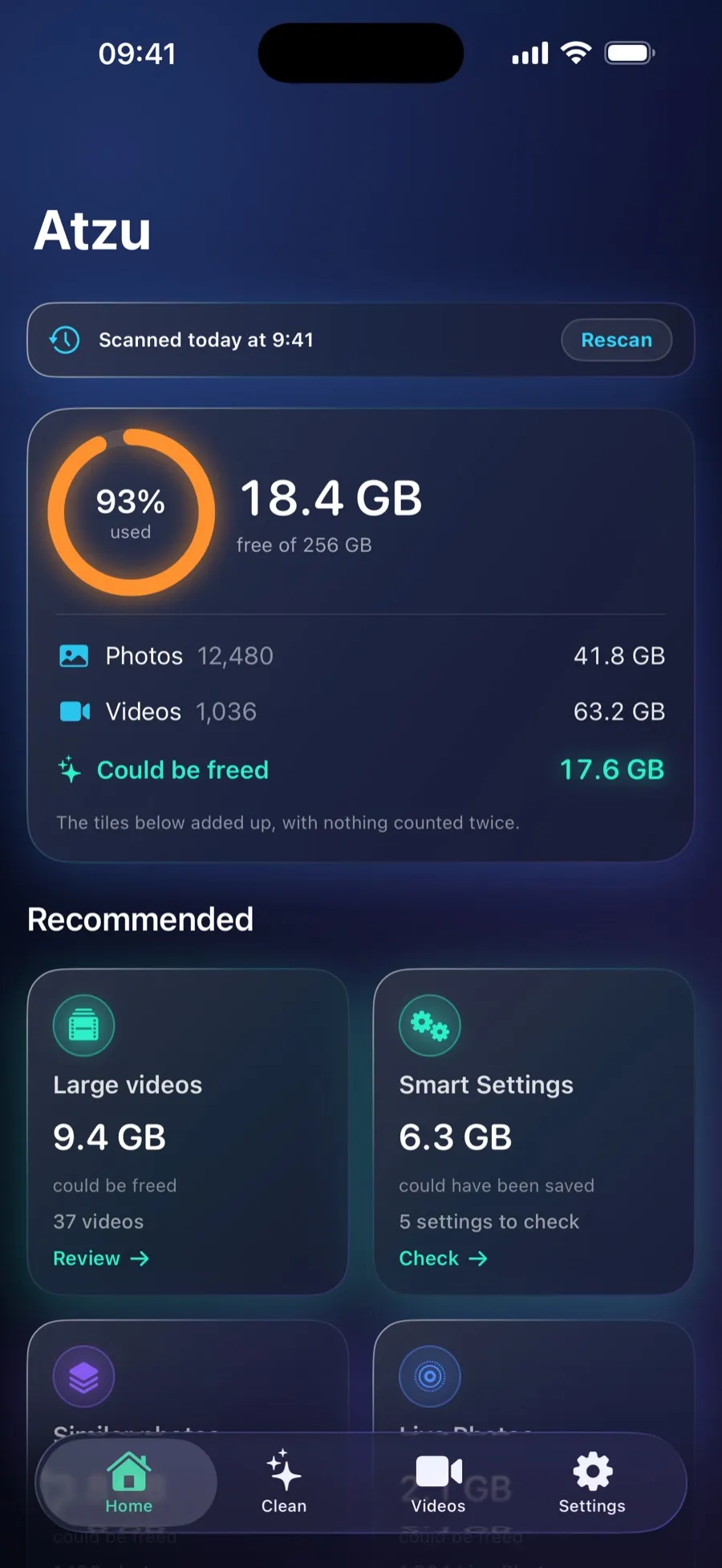
On your iPhone?

Atzuno: Photo & Video Cleaner
This page is about our Mac app. On your phone, Atzuno finds duplicate photos, near-identical shots, blurry photos and large videos, and shows what each clean-up would free. Nothing goes until you say so.
Black Friday: the one-time purchase is €7.99 on iPhone, half the regular €15.99, until 6 December.
See the phone app
On an Android phone?
Atzuno: Photo & Video Cleaner
This page is about our Mac app. On your phone, Atzuno finds duplicate photos, near-identical shots, blurry photos and large videos, and shows what each clean-up would free. Nothing goes until you say so.
See the phone app
Mac cleaner · macOS 15 or later
Free up space on your Mac. See what’s safe to delete.
Scan your Mac for free. See what’s taking up space and what you can safely remove before you clean.
Nothing is deleted until you approve it, or schedule it.
Black Friday: buy once for $12.49, half the regular $24.99, until 6 December. See the offer
Not on your Mac right now? Send yourself the link and download it there.
Atzuno Safe Data Cleaner is for Mac: send yourself the link above to download it there. A Windows version is on its way. Leave your email and we'll tell you when it's ready.
You're on the list. We'll email you once, when it's ready for Windows.
Free: a full scan that shows how much space each safety level holds. Seeing the individual files, and cleaning, needs a licence.
Formerly Atzu Safe Data Cleaner and RefreshYourMac.
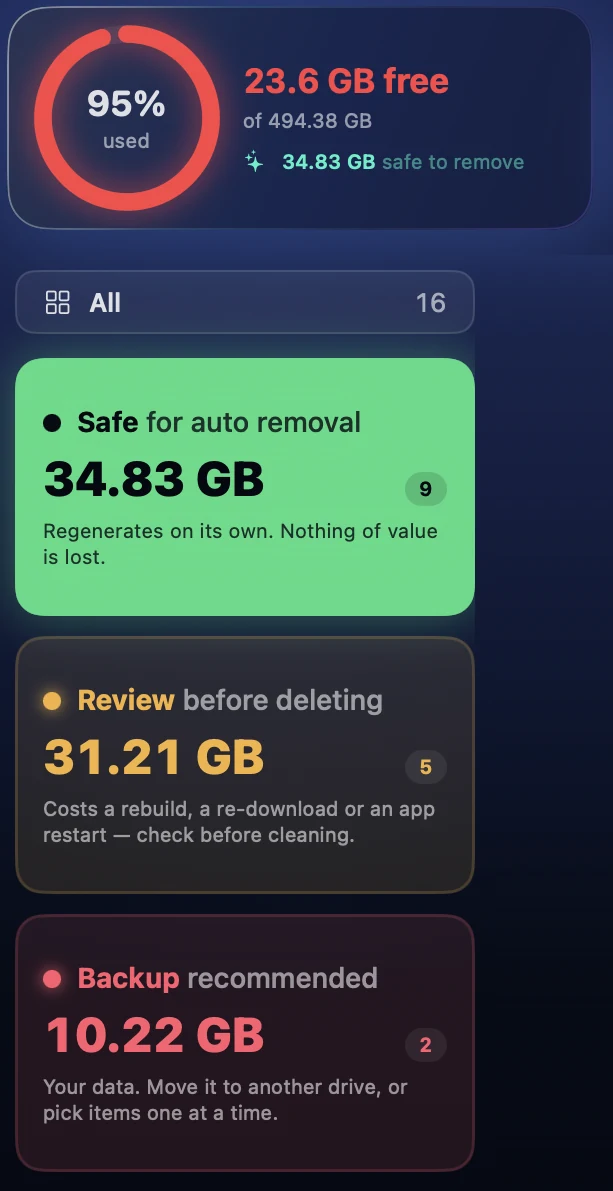
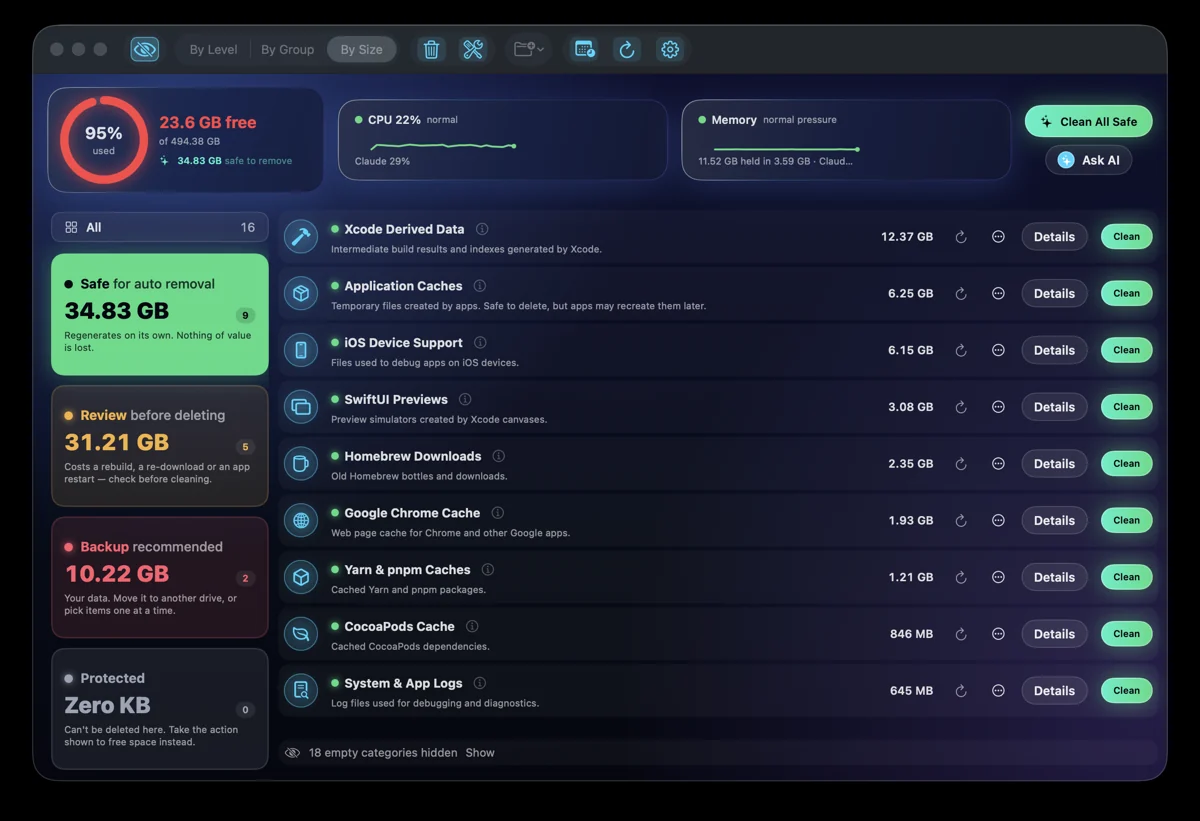
Free up space without guessing
Every item is rated Safe for auto removal, Review before deleting, Backup recommended or Protected, with what deleting it costs. Clean All Safe clears the first group in one click.
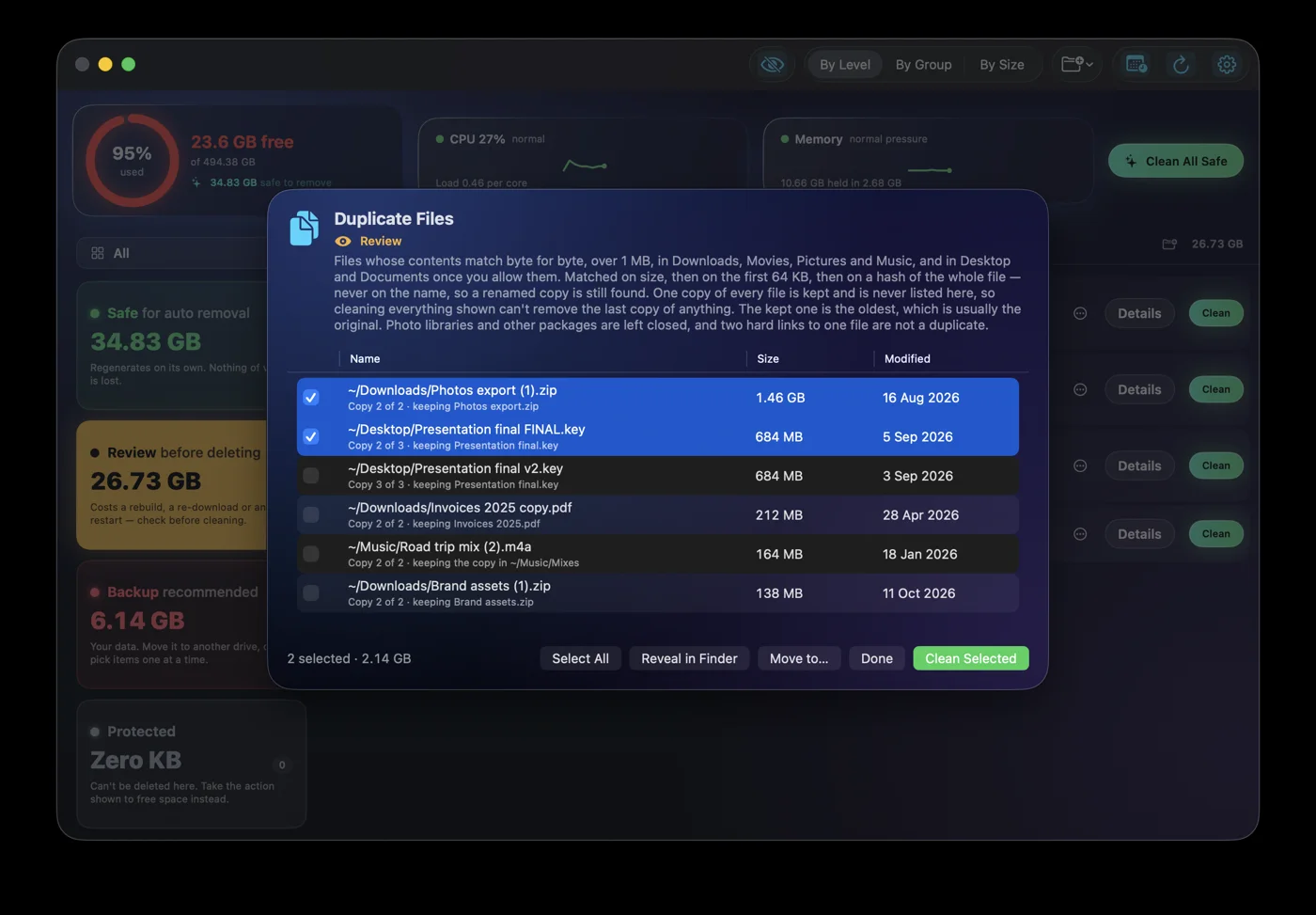
Find the copies you forgot about
Duplicate files and pictures are matched on their contents, not their names. One copy of everything is always kept.
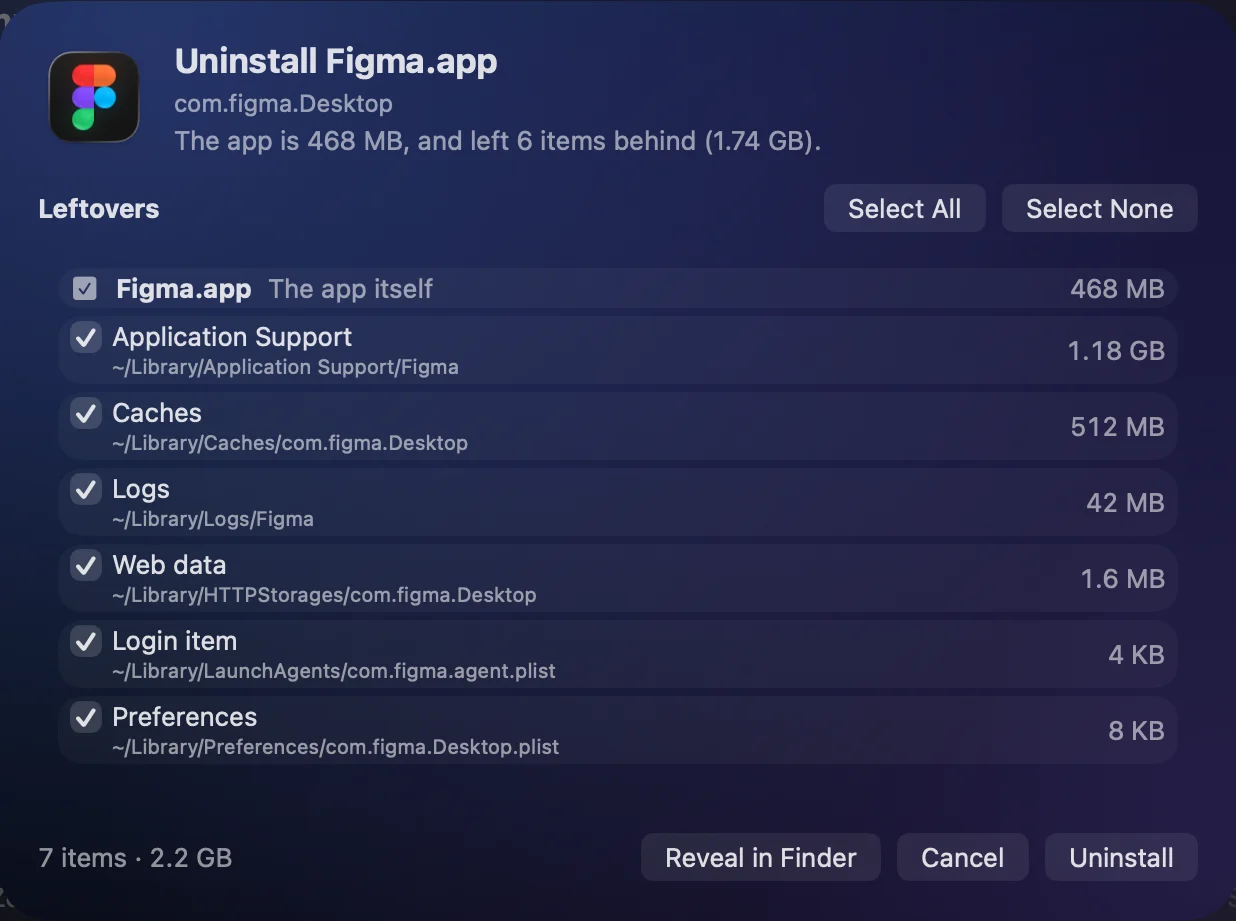
Remove apps and everything they left
Uninstall an app along with the caches, settings and support files it scattered across your Mac. In this download version.
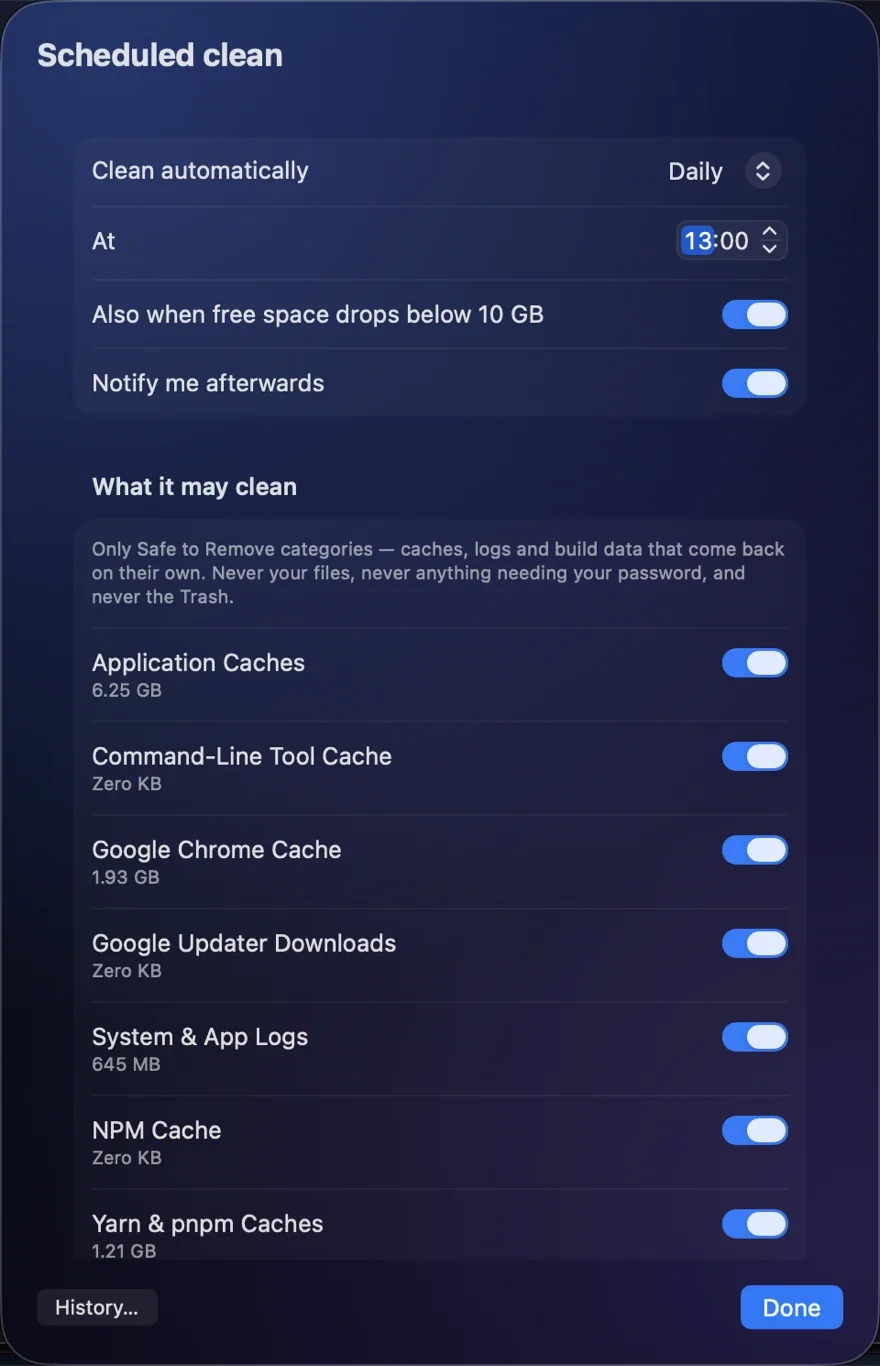
Keep it clean on a schedule
Clean the safe items every day, or whenever free space drops below a level you choose. Only items rated Safe for auto removal are cleaned on a schedule.
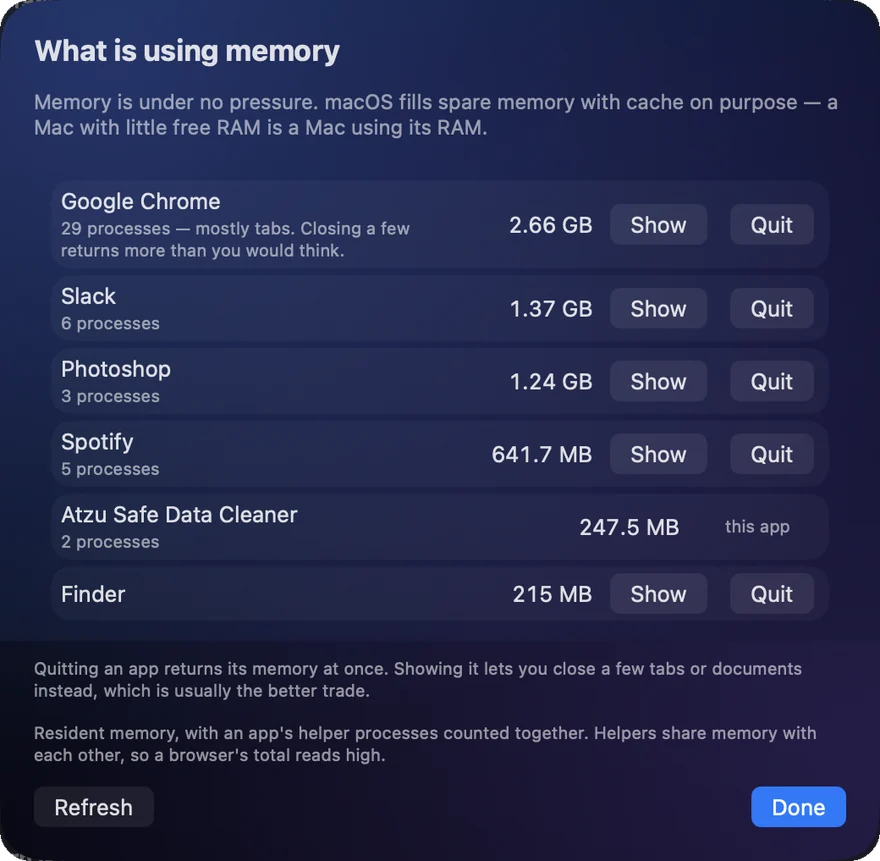
See what’s using your memory
Which apps are holding your Mac’s memory, in plain words, and which ones you can quit.
Optional · the AI scan
Your scan finds what’s safe. The AI scan finds more.
The items marked Review usually need checking one by one. Turn on the AI scan and Claude or Codex reads them for you, picks what can go, and says why. You still press Clean.
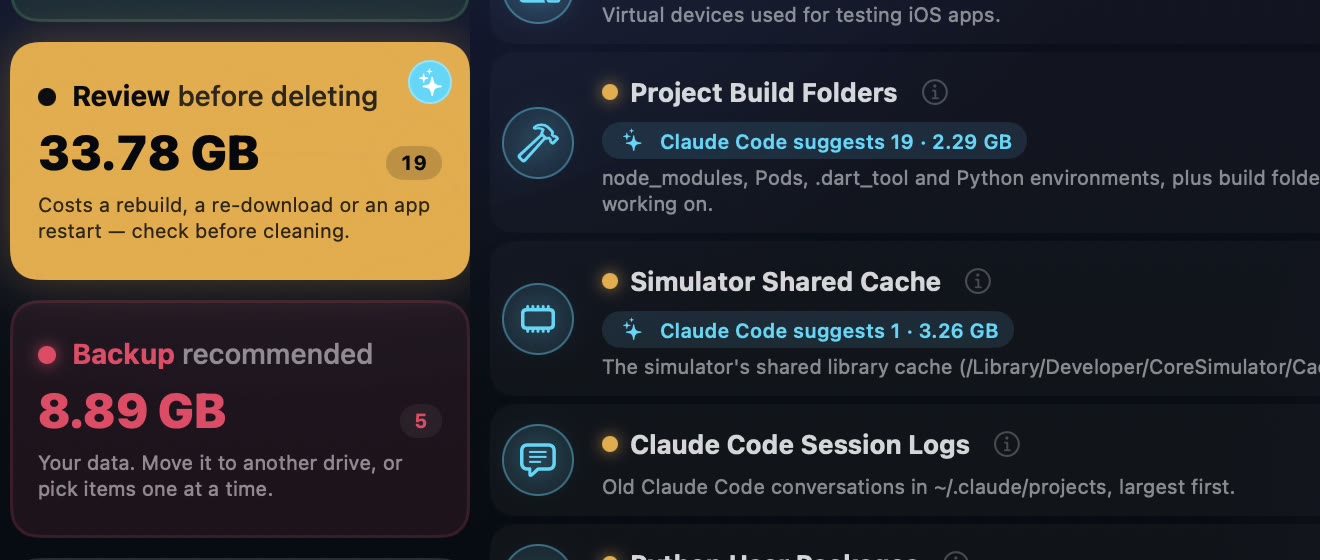
It can’t delete, move or change a file. Only you can, on the app’s own confirm card.
It runs on your account with Claude or ChatGPT, so the file names it reads go to Anthropic or OpenAI. Privacy
It needs a licence and Claude Code, the Claude app or Codex on your Mac. Not in the Mac App Store version.
Example scan
34.83 GB
safe to remove on a nearly full Mac, with 31.21 GB more to check first.
Example data from the app’s screenshot mode, not a real Mac.
“Within 3 minutes it’s reduced my memory from 97% full to only 52% full.”
“It’s far better than other apps I’ve tried, and it costs a lot less.”

Atzuno Safe Data Cleaner
$14.99 a year, with the first 7 days free, or $12.49 once.
Black Friday: $12.49 once instead of $24.99, until 6 December. See the offer
- Requires
- macOS 15 or later
- Size
- about 8 MB
- Version
- 1.6.1, 26 November 2026
- Licence
- Two Macs, no account
Try it free for a week, then $14.99 a year. Or $24.99 once.
A licence gives you every file in every level, unlimited scans, and cleaning. The yearly plan starts with 7 days free. You add a card or PayPal to start it, nothing is charged until the week is up, and if you cancel before then you pay nothing. Or pay once and it is yours. The Mac App Store version has the same yearly plan and free week, and the same one-time price.
Lowest price in the 30 days before the sale: $14.99 (launch offer, ended 2 Nov). The yearly plan ($14.99 a year, first 7 days free) is unchanged. The code BF50 is applied for you at checkout.
- Every level measured
- No account
- Nothing deleted during the scan
Yearly subscription
$14.99 a year
7 days free
- Nothing charged until the week is up
- Works on two Macs
- Free updates while subscribed
$0 today. $14.99 a year after 7 days unless you cancel first, from your orders page. Card or PayPal needed.